CodexUsageBar alternative · macOS 14+
Codex and every other AI limit, always visible in your menu bar.
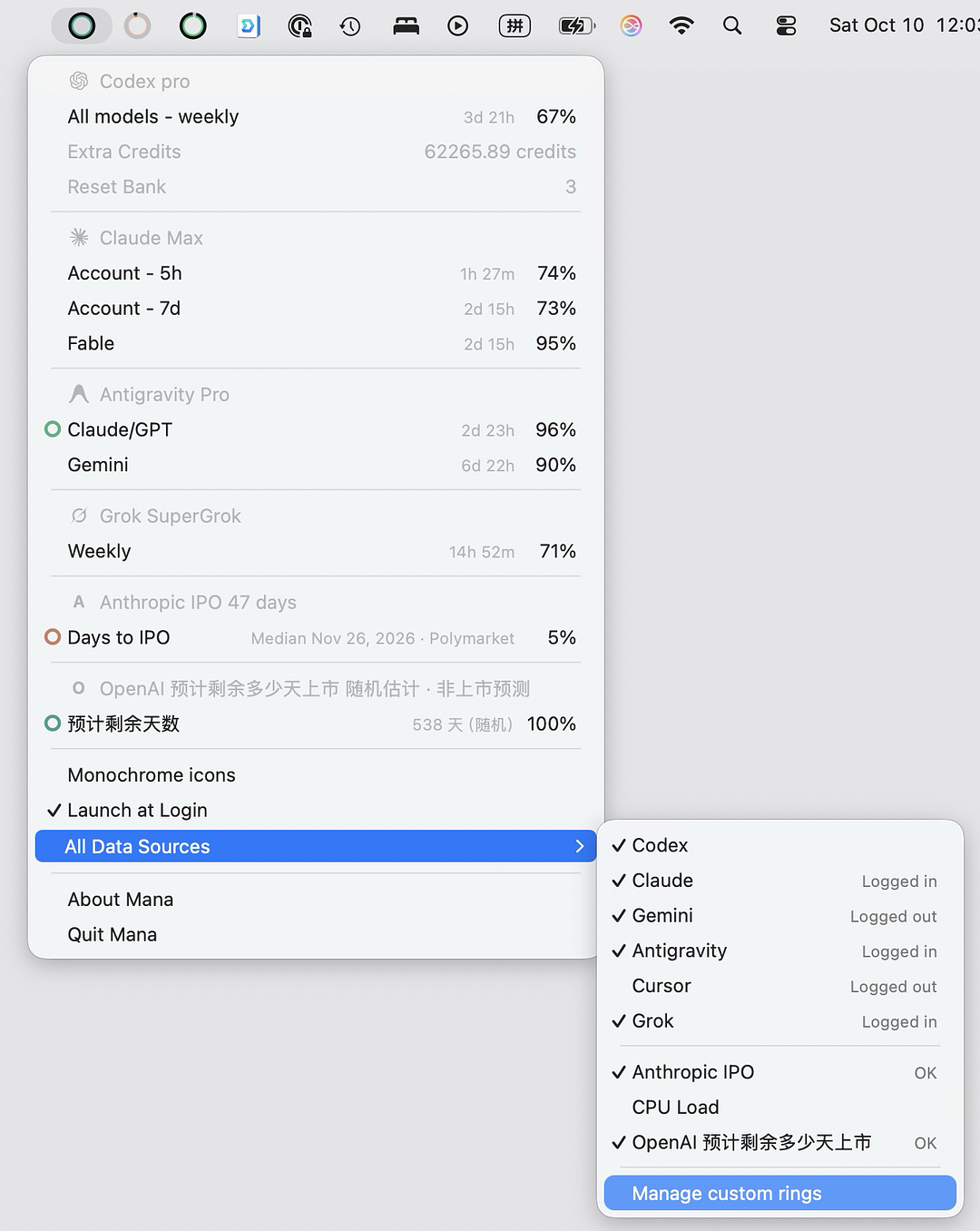
CodexUsageBar tracks Codex. Mana tracks Codex, Claude, Gemini, Antigravity, Cursor and Grok side by side, and keeps the numbers on screen as rings so you don't have to click to see them.
Download Mana for Mac3.7 MB · free for one ring · no extra sign-in
Why people switch to Mana
- Six providers, one menu bar. Codex, Claude, Gemini, Antigravity, Cursor and Grok are built in; plugins add anything else.
- No click needed. Rings show up to two remaining quotas per provider right in the menu bar. CodexUsageBar shows its numbers in a popup you open.
- Codex depth. Extra Credits, Reset Bank and workspace credit limits in the menu.
- No pop-ups. Built-in providers work without permission dialogs or an extra login.
- Lightweight. Mana is a 3.7 MB download.
Mana and CodexUsageBar at a glance
| Mana | CodexUsageBar | |
|---|---|---|
| Providers | Codex, Claude, Gemini, Antigravity, Cursor, Grok built in; anything else via plugins | Codex |
| Menu bar | Rings in the menu bar show up to two remaining quotas per provider — no click needed | Popup opened by click or ⌘U |
| Download size | 3.7 MB download | Under 5 MB |
Questions
Does Mana track more than Codex?
Yes. Codex, Claude, Gemini, Antigravity, Cursor and Grok are built in, and plugins add any other quota.
Can I see Codex usage without opening a popup?
Yes. Mana's rings show up to two remaining quotas per provider directly in the menu bar, such as the 5-hour and weekly limits.
More comparisons
Mana is independent software by Silent Spell, not affiliated with CodexUsageBar or the AI providers. CodexUsageBar details are from codexusagebar.com as of October 2026 and may change. See how Mana accesses quota data.